
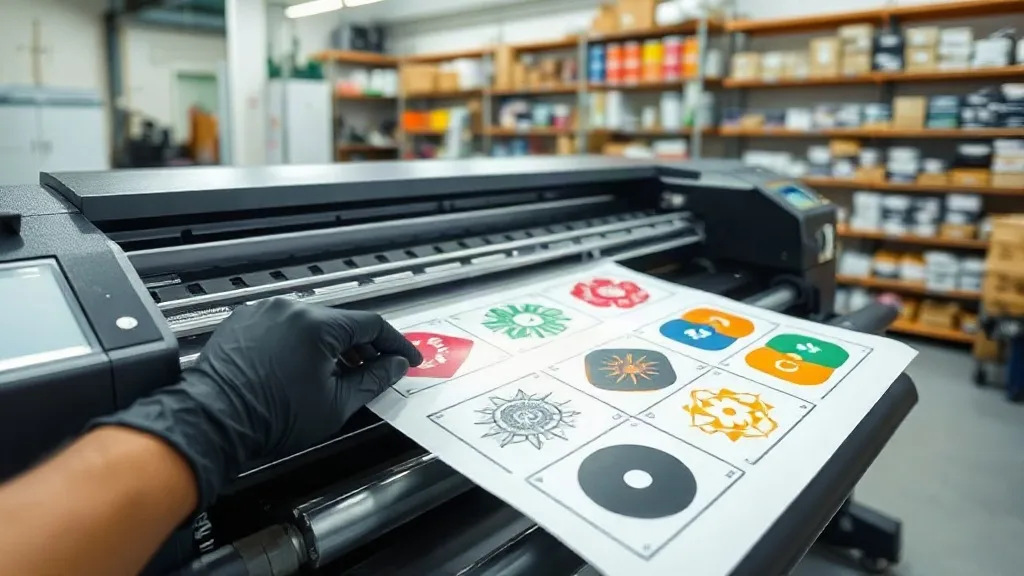
If you're in the custom apparel business, you've likely heard about DTF Gangsheet printing. It's a game-changer for producing multiple designs on a single sheet of film, but mastering it requires more than just grouping images. In this guide, we'll dive deep into the strategies that separate professional shops from beginners. Whether you're struggling with color consistency, film waste, or turnaround times, the insights here will help you streamline your process and deliver flawless results every time.
What Is a DTF Gangsheet and Why It Matters
A DTF gangsheet is essentially a large film sheet where multiple designs are printed simultaneously. Think of it as a digital layout that maximizes your printer's output while minimizing material costs. The concept is simple: instead of printing one design at a time, you arrange several designs on a single sheet, send it to your DTF printer, and then cut them apart after transfer. This method is particularly efficient for small to medium-sized orders, allowing you to produce a variety of products without constant setup changes.
The real power of a gangsheet lies in its ability to reduce waste and increase throughput. By grouping designs intelligently, you can fill every inch of film, cutting down on unused space. This not only saves money on film but also reduces ink consumption and production time. For businesses that handle diverse orders daily, mastering the gangsheet workflow is essential for staying competitive.
File Preparation: The Foundation of a Perfect Gangsheet
Before you even think about printing, your digital files must be flawless. A poorly prepared file can lead to misprints, color issues, and wasted materials. Here's how to get it right.
Resolution and Color Mode
Always work in CMYK color mode at 300 DPI. RGB files may look vibrant on screen but will shift when printed. Ensure your designs are high-resolution and free of artifacts. For text, use vector-based fonts or high-resolution images to avoid pixelation.
Spacing and Bleed
Leave at least 0.25 inches of space between designs. This prevents ink from bleeding into adjacent images during transfer. Also, add a small bleed area around each design if it has a background color, so you have room for cutting.
Transparency and White Ink
DTF printing requires a white ink layer for opacity. Make sure your file has a separate spot channel for white ink, or your RIP software will handle it automatically. Avoid using transparency effects that might confuse the RIP; flatten them before exporting.
Nesting Strategies That Save Film and Money
Nesting is the art of arranging designs on the sheet to minimize wasted space. A well-nested gangsheet can reduce film usage by up to 30%, directly impacting your bottom line. Here are some proven techniques.
Rotate and Flip
Don't be afraid to rotate designs to fit into tight spots. Many RIP software programs have auto-nesting features, but manual adjustments often yield better results. Flip designs if they are symmetrical to fill gaps.
Group by Size
Place larger designs first, then fill the gaps with smaller ones. This approach ensures you utilize every corner. Also, consider the cut lines: leave enough space for easy cutting without damaging neighboring designs.
Use Nesting Software
Invest in dedicated nesting software that integrates with your DTF printer. These tools use algorithms to optimize layout, saving you time and reducing human error. Popular options include DTF Nest and PrintLogic.
Material Selection: Film and Powder
The quality of your gangsheet output heavily depends on the materials you use. Not all DTF films are created equal.
Film Types
Choose a film that matches your printer's specifications. Cold-peel films are great for fine details, while hot-peel films offer faster production. Ensure the film has a consistent coating to prevent ink smudging.
Adhesive Powder
Use a high-quality adhesive powder that melts evenly. Cheap powders can cause clumping or incomplete transfer. Apply powder sparingly and shake off excess to avoid a rough texture.
Printing and Curing: Getting the Settings Right
Even with a perfect file and layout, incorrect printer settings can ruin your gangsheet. Here's what to watch.
Ink Limits
Over-inking can cause bleeding and slow drying. Stick to the manufacturer's recommended ink limits. For detailed designs, reduce ink density slightly to maintain sharpness.
Curing Temperature and Time
Follow the powder's curing instructions precisely. Typically, you'll cure at around 350°F for 2-3 minutes. Use a heat gun or conveyor dryer for consistent results. Under-curing leads to wash-out; over-curing makes the film brittle.
Common Pitfalls and How to Avoid Them
Many newcomers run into issues that can be easily prevented with a bit of foresight.
- Color shifting: Always print a test sheet and adjust your ICC profile if needed.
- Film jams: Ensure the film is loaded correctly and the printer is clean.
- Powder clumps: Store powder in a dry place and sift before use.
- Cutting errors: Use a sharp blade and a steady hand; consider a cutting machine for precision.
Scaling Your Production with Gangsheets
Once you've mastered the basics, you can use gangsheets to scale your business. Batch similar orders together to maximize efficiency. For example, if you have multiple customers ordering the same design in different sizes, group them on one sheet. This reduces setup time and material waste. Additionally, consider offering gangsheet services to other shops; many small businesses lack the equipment to produce their own, creating a new revenue stream.
Frequently Asked Questions
How many designs can I fit on a DTF gangsheet?
The number depends on the size of your designs and the film dimensions. A standard 13x19 sheet can hold 10-15 small logos or 4-6 medium-sized graphics. Use nesting software to maximize capacity.
Can I mix different fabrics in one gangsheet?
Yes, DTF transfers adhere to cotton, polyester, blends, and even nylon. However, adjust your pressing settings accordingly. Always test on a swatch first.
What's the best way to store unused gangsheets?
Keep them in a cool, dry place away from direct sunlight. Use a dust-free container to prevent contamination. Properly stored sheets can last up to six months.
Do I need a special printer for gangsheets?
Any DTF printer can produce gangsheets, but a larger format printer (like 24-inch or wider) allows for more designs per sheet, increasing efficiency.
How do I price gangsheet printing for customers?
Calculate your material costs (film, ink, powder) plus labor and overhead, then add your profit margin. Many shops charge per linear inch or per design, with discounts for bulk orders.
Mastering the DTF gangsheet workflow is a journey, but with these strategies, you'll be well on your way to producing high-quality transfers with minimal waste. Remember, the key is in the details: precise file prep, smart nesting, and consistent material quality. Implement these practices, and you'll see a noticeable difference in your output and your bottom line.