
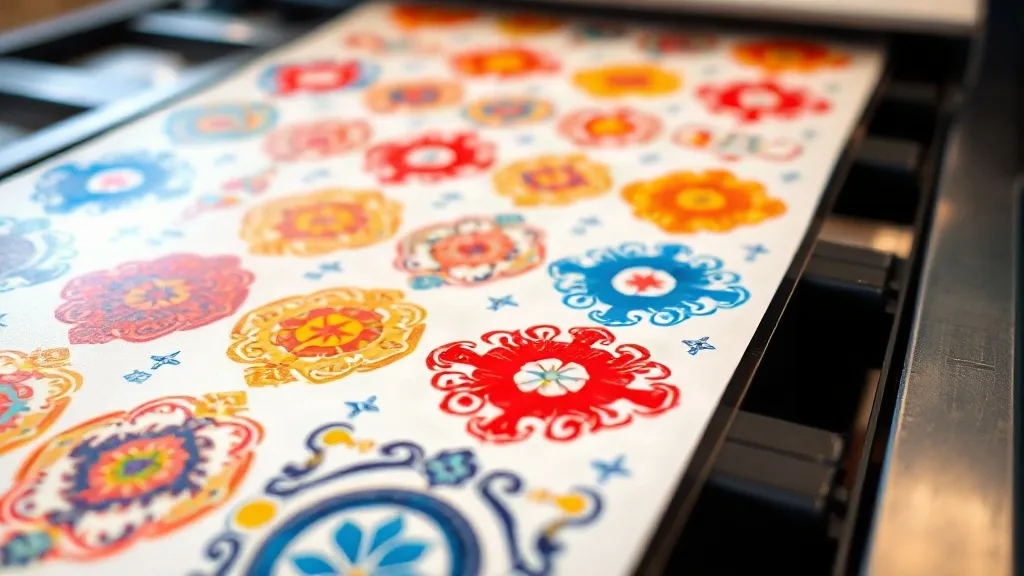
You've spent hours perfecting a design, only to have it print with muted colors or inconsistent tones. It's a frustration every DTF printer knows well. But what if the solution isn't in your printer settings or ink levels, but in how you group your transfers? The DTF Gangsheet isn't just a cost-saver; it's a powerful tool for achieving color consistency across multiple prints. In this guide, we'll dive into the why and how of using gangsheets to lock in vibrant, accurate colors, from file preparation to the final press.
Why Color Consistency Matters in DTF Printing
Color consistency is the hallmark of professional apparel decoration. Whether you're printing a batch of team jerseys or a series of promotional tees, customers expect the same hue every time. Inconsistent colors can make your brand look sloppy and lead to wasted materials and reprints. With DTF, variables like ink viscosity, film quality, and environmental conditions can all affect output. A DTF Gangsheet helps mitigate these variables by allowing you to print multiple designs in one pass, ensuring they all go through the same conditions simultaneously.
How Gangsheets Promote Uniform Color
When you print individual transfers, each one may be subjected to slightly different printer conditions: the first print of the day might have a cooler printhead, or the last might suffer from ink settling. By grouping designs into a single gangsheet, you subject them all to the same printer state, ink batch, and curing process. This uniformity is especially crucial for designs that will be used together, like a set of shirts for an event.
Consistent Ink Laydown
Ink laydown refers to the amount of ink deposited onto the film. Variations can cause colors to appear lighter or darker. A gangsheet ensures that all designs receive the same ink coverage because they are printed in one continuous job. This is particularly important when printing gradients or solid color blocks that need to match.
Uniform Curing
Curing is the process of melting the adhesive powder onto the ink. If transfers are cured separately, differences in oven temperature or timing can lead to color shifts. With a gangsheet, all transfers are cured together, guaranteeing that each one receives the same heat exposure. This step is often overlooked, but it's vital for colorfastness and durability.
Designing for Color: File Setup Tips
Before you even send your gangsheet to print, the design files must be optimized for color accuracy. Here are key steps to ensure your digital designs translate perfectly to physical transfers.
Use CMYK and ICC Profiles
DTF printers use CMYK inks, so designing in RGB can lead to unexpected color shifts. Always convert your files to CMYK using the ICC profile provided by your printer or RIP software. This profile accounts for the specific characteristics of your printer and inks, ensuring that what you see on screen is what you get on fabric.
Embed Color Profiles
When saving your gangsheet layout, embed the color profile so that the RIP software interprets colors correctly. This is especially important if you're collaborating with a designer or using files from different sources.
Group Similar Colors
When arranging designs on your gangsheet, group those with similar color palettes together. This not only makes visual inspection easier but also allows you to spot any inconsistencies quickly. If a particular color prints off, you'll notice it across multiple designs, making it easier to diagnose the issue.
Printing and Pressing for Color Accuracy
Once your gangsheet is designed and printed, the pressing stage is your last chance to preserve color integrity. Follow these practices to avoid color shifts during heat application.
Preheat Your Press
Always preheat your heat press to the recommended temperature (usually around 300°F to 320°F for DTF). A cold press can cause uneven adhesion and dull colors. Use an infrared thermometer to verify the platen temperature.
Use Consistent Pressure
Pressure affects how the ink and adhesive bond to the fabric. Too little pressure and the transfer may peel; too much and the ink can spread, causing colors to bleed. Find the sweet spot for your press and maintain it for every transfer from the gangsheet.
Press Time and Temperature
Follow the ink manufacturer's guidelines for press time and temperature. Over-pressing can scorch the ink, leading to faded or yellowed colors. Under-pressing can result in poor wash durability. Consistency is key, so use a timer and stick to the same settings for all transfers from the same gangsheet.
Avoiding Common Color Pitfalls
Even with a gangsheet, there are pitfalls that can compromise color quality. Here's how to avoid them.
- Ink Expiration: Use fresh ink and check expiration dates. Old ink can produce weaker colors.
- Film Quality: Low-quality film may not hold ink evenly, leading to patchy colors. Invest in reputable DTF film.
- Environmental Factors: Humidity and temperature can affect ink drying and curing. Maintain a stable environment.
- Printer Maintenance: Regular cleaning and printhead checks prevent clogs that cause missing colors.
Real-World Example: School Spirit Pack
A local print shop was tasked with producing 50 shirts for a school spirit week, each with a different design but a unified color scheme of royal blue and gold. By grouping all designs into a single DTF Gangsheet, they ensured that the blue and gold matched perfectly across all shirts. The gangsheet also allowed them to print all transfers in one go, saving time and reducing waste. The customer was thrilled with the consistent, vibrant colors.
Frequently Asked Questions
Can I mix different fabric types in one gangsheet?
Yes, you can include designs for different fabrics on the same gangsheet, but be mindful that pressing conditions may vary. It's best to group designs that will be pressed under similar conditions to maintain consistency.
How do I ensure colors match between different gangsheets?
Use the same ICC profile and ink batch for all gangsheets in a project. Also, maintain consistent printer settings and environmental conditions. If possible, print all gangsheets for a project in one session.
What's the best way to store gangsheets to prevent color fading?
Store printed gangsheets in a cool, dry place away from direct sunlight. Use airtight containers or bags to protect them from dust and moisture. Properly stored, they can last for several months without significant color degradation.
Can I correct color issues after pressing?
Once pressed, color issues are difficult to fix. Prevention is key. Always do a test press with a small sample from the gangsheet to check color accuracy before pressing the entire batch.