
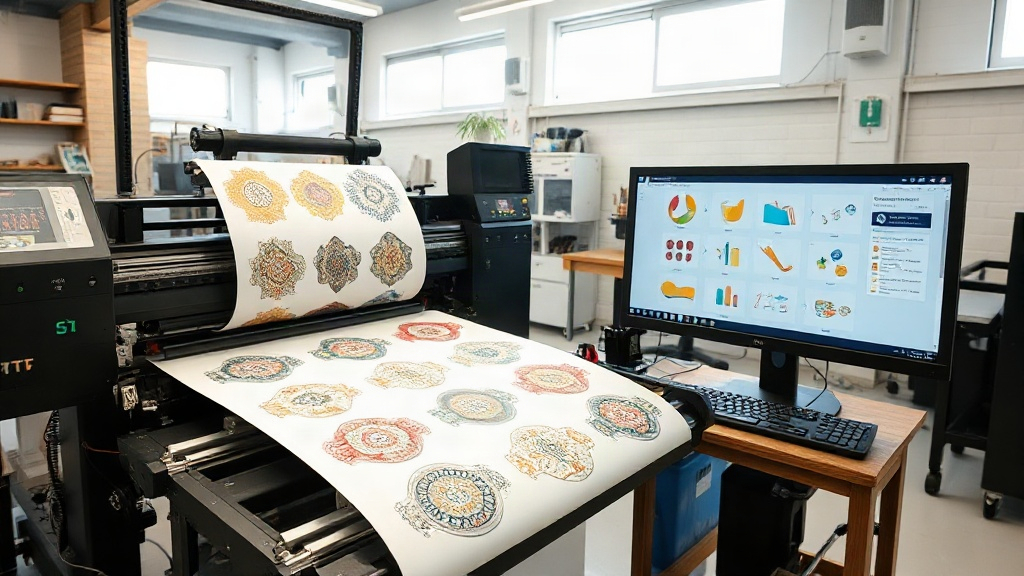
If you're in the custom apparel business, you've likely heard about DTF printing. It's a game-changer for producing vibrant, durable transfers on demand. But as your orders grow, manually arranging designs on a film can become a bottleneck. That's where a DTF gangsheet builder comes in. This tool automates the layout process, saving you time and money. In this article, we'll explore how a gangsheet builder works, why it's essential, and how to choose the right one for your shop.
What is a DTF Gangsheet Builder?
A DTF gangsheet builder is software that helps you arrange multiple designs onto a single sheet of DTF film. Instead of printing each design individually, you group them together, maximizing the use of your film and ink. This process, known as "ganging," is common in screen printing, but DTF has its own nuances. With a dedicated builder, you can drag and drop designs, rotate them, and nest them tightly to minimize waste.
Most builders integrate with your existing design files (PNG, PDF, etc.) and output a print-ready file. Some are standalone apps, while others are web-based. The goal is simple: help you produce more transfers with less material and less manual effort.
Why "Ganging" Matters for DTF
DTF printing uses specialized film and powder. Every square inch costs money. If you print one design per sheet, you're paying for unused film. By ganging, you can reduce film usage by 30-50% or more, depending on design sizes. That's a direct boost to your bottom line. Plus, fewer sheets mean faster printing and less cutting.
Key Features of a Good DTF Gangsheet Builder
Not all gangsheet builders are created equal. Here are the features that matter most for DTF printers:
- Auto-nesting: Automatically arranges designs to fill gaps, like a puzzle. This is a huge time-saver.
- Rotation and flipping: Allows you to rotate designs 90, 180, or 270 degrees to fit better. Flipping is useful for mirrored text.
- Spacing control: Lets you set minimum gaps between designs to avoid cutting errors.
- Sheet size presets: Save your common film sizes (e.g., 13x19, 22x36) for quick selection.
- Export options: Outputs high-resolution files compatible with your DTF printer's RIP software.
- Cost calculator: Shows estimated film and ink usage, helping you price jobs accurately.
Some advanced builders also include inventory management, order tracking, and integration with e-commerce platforms. Evaluate your workflow to decide which features are must-haves.
How to Choose the Right Builder for Your Shop
With many options available, picking the right DTF gangsheet builder can be overwhelming. Consider these factors:
1. Your Production Volume
If you're a small shop printing a few sheets a day, a simple, low-cost tool might suffice. High-volume shops need robust software with batch processing and automation. Free tools often lack advanced nesting, so if efficiency is critical, invest in a paid solution.
2. Compatibility with Your Printer
Ensure the builder exports files in a format your printer's RIP software accepts. Common formats include TIFF, PDF, and PNG. Some builders are tailored for specific printer brands (e.g., Epson, Roland), so check before buying.
3. Ease of Use
Time is money. A steep learning curve can eat into your profits. Look for intuitive drag-and-drop interfaces and good tutorials. Many companies offer free trials, so test before committing.
4. Support and Updates
Software evolves, and so does DTF technology. Choose a provider that offers regular updates and responsive customer support. A builder that's abandoned by its developer will quickly become obsolete.
Best Practices for Using a DTF Gangsheet Builder
To get the most out of your gangsheet builder, follow these tips:
- Group similar sizes: Place large designs together and fill gaps with smaller ones. This minimizes wasted space.
- Mind the grain: DTF film has a grain direction; rotating designs can affect stretch. For most applications, it's fine, but test if unsure.
- Leave enough space: Don't cram designs too close. You need room for cutting and to prevent ink bleeding. A 0.1-0.2 inch gap is typical.
- Use color coding: If your builder allows, color-code designs by order or customer to avoid mix-ups.
- Save templates: If you frequently print certain combinations, save them as templates for one-click reuse.
Also, keep your design files organized. Name them clearly and store them in folders by category. This makes dragging into the builder faster.
Common Mistakes to Avoid
Even with a good builder, users often make mistakes that cost time and money. Watch out for these:
- Overlooking the cut lines: Ensure each design has a cut line or contour. Without it, cutting becomes a nightmare.
- Ignoring resolution: DTF requires high-resolution images (300 DPI at final size). Low-res designs will look pixelated.
- Forgetting to mirror: If your design has text, it must be mirrored when printed on DTF film. Some builders have a mirror toggle; use it.
- Not testing: Always print a test sheet with new layouts. What looks good on screen may not transfer perfectly.
Integrating a Gangsheet Builder into Your Workflow
Adding a builder to your process is straightforward. First, assess your current workflow. Identify bottlenecks: Are you spending too much time arranging designs? Are you wasting film? Then, select a builder that addresses those issues. Train your team on it, and set standard operating procedures. For example, require that all orders for the day are ganged into one sheet before printing. This reduces setup time and material waste.
Many shops see a return on investment within weeks due to reduced film costs and increased output. If you're handy with spreadsheets, you can even calculate your savings: track film usage before and after.
Future Trends in DTF Ganging
As DTF printing grows, so will the tools. We can expect more AI-powered nesting algorithms that learn your preferences, cloud-based collaboration for teams, and direct integration with order management systems. Keeping an eye on these trends will help you stay competitive.
Frequently Asked Questions
What is a DTF gangsheet builder?
A DTF gangsheet builder is software that arranges multiple designs onto a single sheet of DTF film to maximize efficiency and reduce waste.
Can I use a regular gangsheet builder for DTF?
While some screen printing gangsheet builders can work, DTF-specific builders are better because they account for film characteristics, mirroring, and DTF-specific export formats.
How much can I save with a gangsheet builder?
Savings vary, but many shops report reducing film usage by 30-50%, which directly cuts material costs. Time savings are also significant.
Is there free DTF gangsheet builder software?
Yes, some free tools exist, but they often lack advanced features like auto-nesting. For serious production, investing in a paid builder is recommended.
What file formats should a DTF gangsheet builder support?
It should support PNG, PDF, and TIFF at minimum, with high resolution (300 DPI) and transparency. Check compatibility with your printer's RIP software.
By leveraging a DTF gangsheet builder, you can take your DTF printing to the next level. Whether you're a hobbyist or a large shop, the right tool will save you time, reduce waste, and increase profits. Explore your options today and see the difference it makes.